WordPress Is Mature.
Why Does It Still Need So Many Security Updates?
A mature platform continues to evolve through technical progress, an expanding ecosystem, and ongoing security work as new issues are discovered and better understood over time.
More than two decades ago, WordPress came to life and started making the online world easier for millions of people (Source: WordPress History).
Since then, it has grown, matured, and built an entire ecosystem around it (Source: About WordPress).
And yet, security updates are still part of running a WordPress website.
At first, that can seem contradictory. If a platform is mature, should most of its security problems not already be solved?
Not quite.
Mature does not mean finished.
A website keeps living long after it is launched.
The platform develops, the technologies around it move forward, and the way people build, use, and attack websites shifts too.
That is exactly why security updates are still part of WordPress today.
Mature Software Evolves Over Time
A website is, in many ways, a living system.
Even when nothing visibly changes on the frontend, a lot can change underneath it.
WordPress upgrades forward, PHP versions up, browsers change their behavior and allow us to do more and more custom changes, hosting environments are updated, and plugins, themes, and integrations continue their own development cycles.
Anyone who has maintained the same website for years will recognize this. A site can look almost identical to visitors while the technical environment has changed considerably.
New code can introduce a problem, while older code may become risky in a new context. Changes in dependencies or new combinations of components can also expose issues that were not obvious before.
Security research evolves alongside the software, and better tools or new techniques can reveal weaknesses in code that has existed for years.
Mature software accumulates change, and with it, builds stronger processes for handling that change.
More Eyes, More Findings
WordPress is examined from many directions.
Core developers, hosting companies, plugin and theme authors, researchers, and security providers all contribute to finding problems across the ecosystem.*
The more eyes looking at the software, the greater the chance that weaknesses will be discovered.
WordPress also supports responsible disclosure, which allows security issues to be reported privately.*
This gives maintainers time to investigate the problem, understand its impact, and prepare a fix before technical details are made public.
Finding a vulnerability is only the beginning. The issue still needs to be evaluated, corrected, tested, and eventually delivered to the websites that depend on that fix.*
From this perspective, frequent security releases are not only about the number of problems found.
They also show that the process of finding and addressing those problems is active.
WordPress is examined from many directions.
Core developers, hosting companies, plugin and theme authors, researchers, and security providers all contribute to finding problems across the ecosystem.*
The more eyes looking at the software, the greater the chance that weaknesses will be discovered.
WordPress also supports responsible disclosure, which allows security issues to be reported privately.*
This gives maintainers time to investigate the problem, understand its impact, and prepare a fix before technical details are made public.
Finding a vulnerability is only the beginning. The issue still needs to be evaluated, corrected, tested, and eventually delivered to the websites that depend on that fix.*
From this perspective, frequent security releases are not only about the number of problems found.
They also show that the process of finding and addressing those problems is active.
* Source: WordPress Security
Security Updates Are Not All the Same
The phrase security update can describe very different situations.
Some vulnerabilities are severe and need immediate attention, while others affect only particular configurations or depend on specific technical conditions before they can be exploited.
Recent WordPress releases show this difference clearly.
WordPress 7.1.1, released in September 2026, included 17 Core bug fixes, 19 Block Editor fixes, and 11 security fixes in the same maintenance and security release. WordPress.org recommended updating immediately because security fixes were included (Source: WordPress 7.1.1 Maintenance and Security Release).
A few days later, WordPress 7.1.2 addressed a critical-severity security vulnerability, again with a recommendation to update immediately (Source: WordPress 7.1.2 Release).
The technical details may differ from one release to another, but website owners do not need to become security analysts every time an update appears.
These release notes explain what was fixed and why the update matters without providing step-by-step instructions for reproducing the vulnerabilities.
For most businesses, the practical result is simple: the updates are handled when needed.
Sometimes a Fix Needs a Follow-Up
A security fix does not always mark the end of the story.
In March 2026, WordPress 6.9.2 and 6.9.3 addressed several security issues. The WordPress Security Team later discovered that some of those fixes had not been fully applied, which led to WordPress 6.9.4 and additional corrections (Source: WordPress 6.9.4 Release).
Controlled testing can cover a lot, but moving software into real-world use brings conditions that are difficult to reproduce in advance.
WordPress runs across many combinations of servers, configurations, plugins, themes, integrations, and custom code.
Wider use can expose issues that were not visible before.
That is why follow-up fixes are sometimes needed.
Beyond WordPress Core
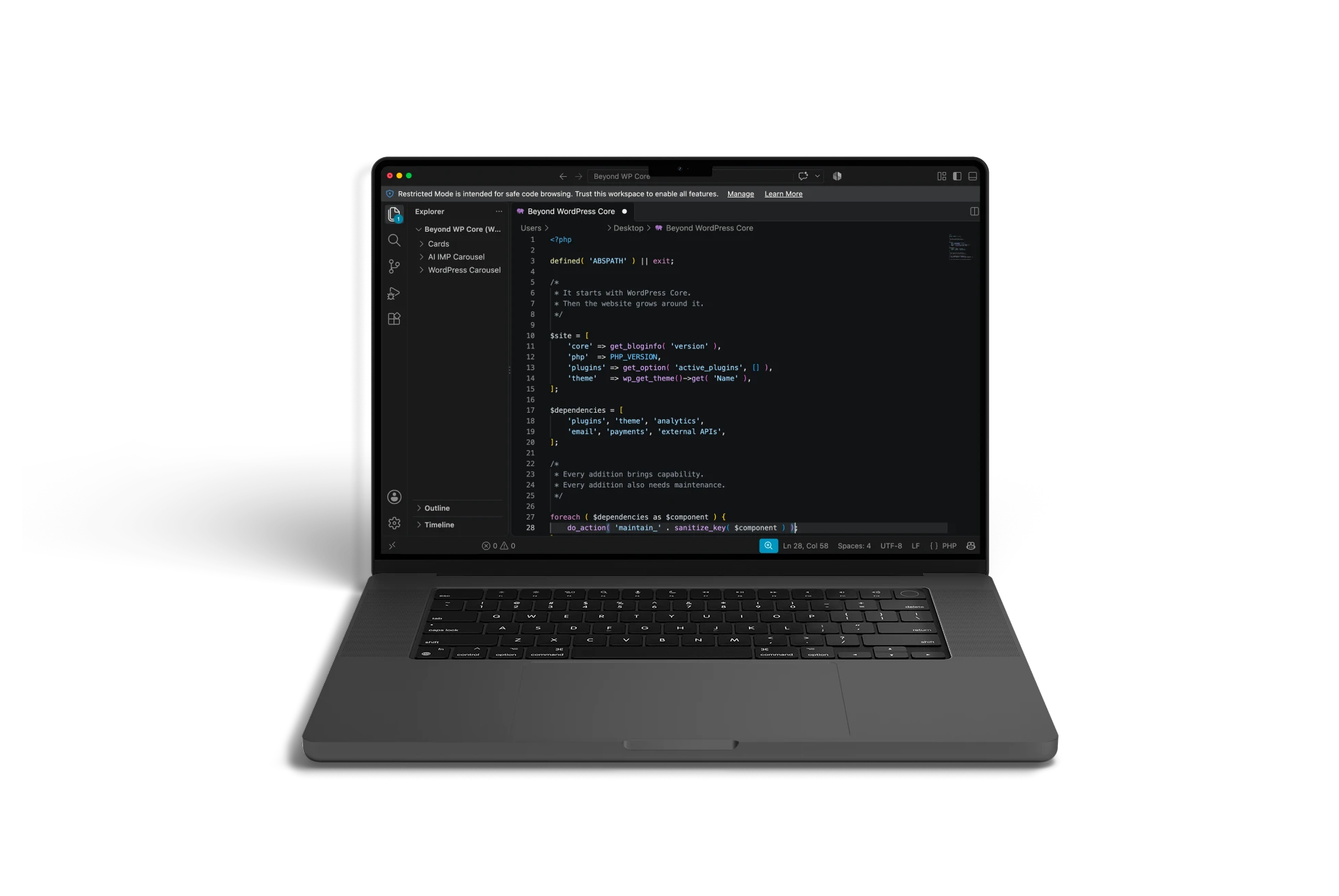
WordPress Core is only one part of a working WordPress website.
Plugins, themes, custom code, hosting, server configuration, external services, APIs, and PHP each follow their own development and maintenance cycles.
A WordPress Core release might require attention today, while a plugin update appears next week or a few hours later, or a third-party service changes its API later on.
PHP, for example, fully supports each release branch for two years, followed by two additional years of support for critical security issues before that branch reaches end of life (Source: PHP Supported Versions).
From the outside, the website might look exactly the same throughout all of this.
At the same time, many of its components continue moving forward independently.
What This Means for Website Owners
Website owners do not need to follow every vulnerability report or understand every technical detail.
What matters is that maintenance is handled and responsibilities are clear.
This includes backups, custom functionality that may need testing, and the plugins, themes, or services the website depends on.
WordPress itself recommends keeping plugins and themes current and maintaining regular backups, particularly when automatic updates are involved (Source: Plugin and Theme Auto-Updates).
A website can appear completely stable while gradually falling behind in these areas.
Regular maintenance helps keep its technical foundation healthy even when visitors see no visible change.
Final Thoughts
For websites that remain part of an ever-evolving web, maintenance is a must, and it is here to stay.
A mature platform does not reach a point where security updates are no longer necessary.
Maturity shows in the way change is handled over time: problems are discovered, fixes are prepared and delivered, and the platform continues adapting as the digital world around it changes.
For WordPress, regular security updates are part of that ongoing work.
The next article in the WordPress Maturity series will move from maintaining and protecting a website to the moment nobody wants to encounter: Your WordPress Website Was Hacked. What Happens Next?
How Mature Is Your WordPress Website?
A WordPress website can remain online for years while responsibilities such as updates, access, backups, component maintenance, and monitoring gradually become harder to evaluate.
- Our WordPress Website Assessment helps you review the current state of your website through a short set of practical questions and receive an immediate result based on your answers.
- Use it to identify areas that may deserve closer attention and get a clearer picture of how well your current WordPress setup supports your business.